Important Points
- GameChanger Team Manager makes tournament registration and management a breeze with its user-friendly features.
- It provides live scoring, integrated payment systems, and customizable tournament widgets.
- Setting up GameChanger is a snap, requiring little technical knowledge.
- The software caters to multiple sports and divisions, making it adaptable for a variety of events.
- Effective communication tools such as text messaging and email templates facilitate team coordination.
Overview
Running a tournament can be a daunting task, especially when juggling multiple teams and schedules. GameChanger Team Manager offers a comprehensive solution to streamline this process. Let’s delve into how this software can revolutionize your tournament management experience.
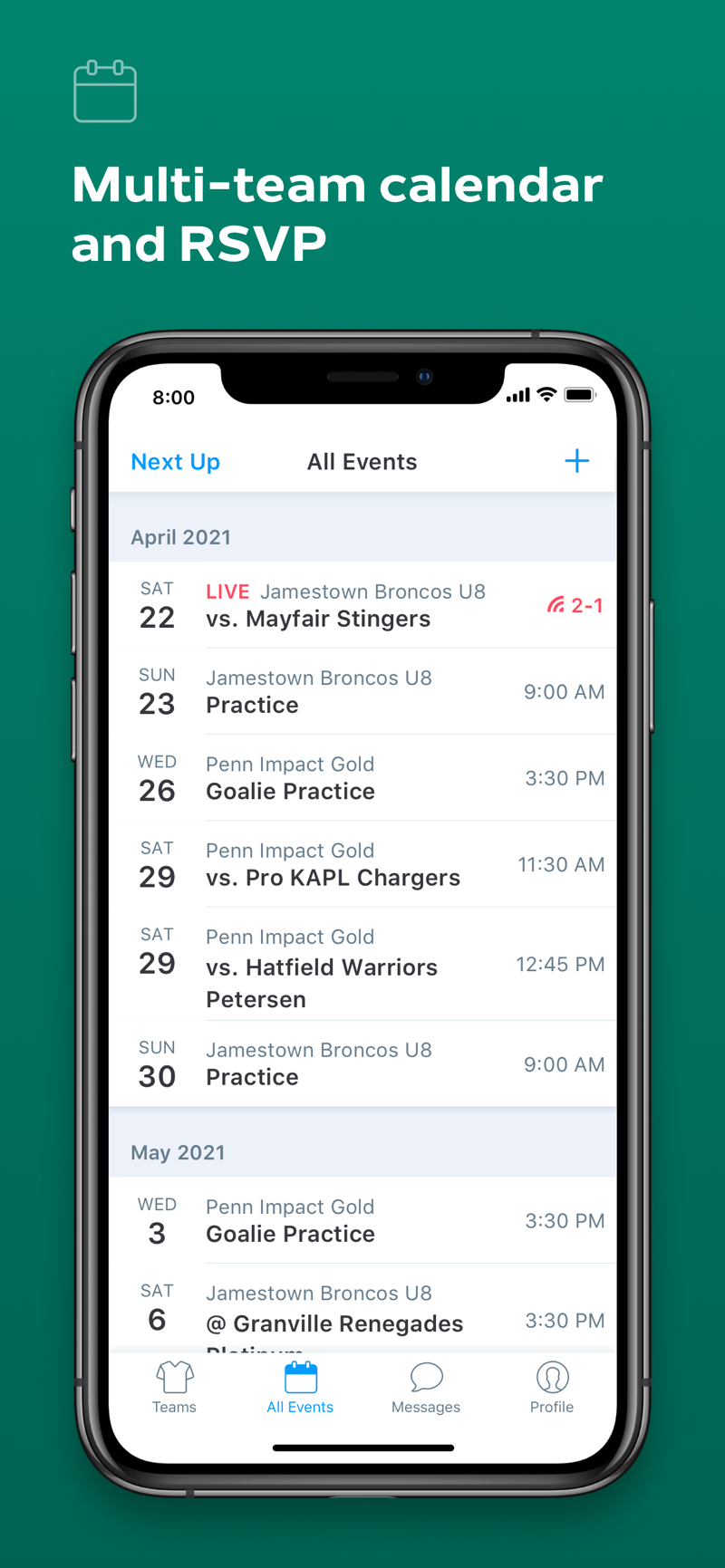
Introducing GameChanger Team Manager
GameChanger Team Manager is a robust solution that simplifies sports tournament management. This software offers all the necessary tools for registering teams, scheduling matches, and monitoring scores, all from a single platform. Regardless of the size or scope of your tournament, from local leagues to national competitions, GameChanger Team Manager adjusts to fit your requirements.
Primarily, GameChanger simplifies the management of administrative tasks that usually overwhelm tournament organizers. With these processes automated, you can concentrate on the most important thing: guaranteeing a seamless and fun experience for all participants.
What You Get With the Software
The GameChanger Team Manager offers a comprehensive suite of features to manage every aspect of tournament organization. For those interested in enhancing their team’s performance, you might also explore innovative fielding drills and equipment. Here’s a brief overview of what you’ll get:
- Live Scoring: Keep everyone updated with real-time scores and stats.
- Integrated Payment Systems: Handle registration fees seamlessly through the platform.
- Customizable Widgets: Tailor the interface to fit your tournament’s branding and needs.
- Multi-Sport Support: Manage tournaments for different sports simultaneously.
- Communication Tools: Use built-in text messaging and email templates to coordinate with teams and officials.
Each of these features plays a crucial role in reducing the workload on organizers, making the entire process more efficient and less stressful. For those managing baseball tournaments, incorporating innovative fielding drills can further enhance the experience for participants.
How GameChanger Team Manager Benefits Tournament Management
GameChanger Team Manager provides several significant advantages in the realm of tournament management:
First, it makes the registration process easier by offering a digital platform where teams can sign up with ease. This gets rid of the need for paper forms and lessens the possibility of mistakes. Furthermore, the software’s built-in payment system makes dealing with fees a piece of cake.
Secondly, the live scoring feature keeps everyone in the loop. Players, fans, and event planners can see real-time scores and rankings. This openness improves the experience for everyone involved, much like how innovative fielding drills enhance player skills and engagement.
Key Features of the User Interface and Experience
- Easy-to-use design that doesn’t need much training.
- Dashboard that can be tailored to meet specific tournament requirements.
- Interface that’s compatible with mobile devices for access on the move.
- Smooth integration with current tools and systems.
The user experience is a top priority for GameChanger Team Manager. The platform’s easy-to-use design means that even those who aren’t tech-savvy can get around it easily. Additionally, the dashboard can be tailored, letting organizers concentrate on the most important parts of their tournament.
Preparation is Key
It’s easy to get started with GameChanger. The platform walks you through the setup process, making sure you have all the tools necessary to manage your tournament successfully. Here’s how to begin:
Start by signing up on the GameChanger site. After you’ve registered, you can start planning your tournament by providing basic information like the event name, location, and dates. The software will then guide you through the process of customizing your tournament settings to fit your unique requirements.
- Identify the sports and divisions that will be participating.
- Establish registration forms and methods of payment.
- Personalize the platform with your tournament’s branding.
- Encourage teams and officials to join the platform.
Beginning with GameChanger
The initial step is to create an account. Go to the GameChanger website and register with your email address. After you’ve registered, you can go to the dashboard and begin organizing your tournament.
When you begin, you’ll be asked to input key information such as the tournament’s name, location, and dates. This information is crucial to setting up your tournament, so be sure to enter it correctly. For additional tips on organizing baseball events, check out these coaching guides and resources.
Adapting to Your Sport
GameChanger gives you the flexibility to adapt the platform to meet the unique requirements of your sport. Whether you’re planning a soccer, basketball, or baseball tournament, the software offers the ability to personalize settings and features to match.
Handling Various Sports and Divisions
GameChanger shines in its capacity to manage various sports and divisions within a single tournament. This adaptability allows you to oversee intricate events without the need to balance numerous systems. For those interested in baseball, you might find these youth baseball hitting techniques helpful for your team.
Creating divisions and assigning teams to each division allows for more efficient organization of matches and schedules. This structure helps each division run smoothly and minimizes the risk of scheduling conflicts. For more detailed guidance, check out this GameChanger guide on organizing leagues and tournaments.
Streamlining Tournament Registration
The task of registering teams for your tournament is crucial, but it doesn’t have to be complicated. GameChanger has a digital signup feature that makes the process easier. By taking registration online, you can say goodbye to paper forms and decrease the chance of making mistakes.
GameChanger Team Manager software walks teams through the registration process, making sure all the necessary information is gathered at the start. This efficient method saves time for both the organizers and the participants.
Online Registration and Signup Process
To sign up a team, participants only need to go to the tournament’s website and complete the registration form. This form gathers necessary information like team name, player details, and contact information.
After the information has been submitted, it is stored safely in the GameChanger system. This allows organizers to easily access and manage the information. This digital approach not only simplifies registration but it also provides a central location for all tournament data.
Managing Payments with Unified Systems
GameChanger’s unified payment system is a revolution for tournament organizers. By enabling teams to pay registration fees online, the software removes the necessity for manual management of cash or checks.
This feature is vital as it guarantees that payments are handled swiftly and safely, minimizing the chance of mistakes or hold-ups. With the payment system, you can concentrate on planning the tournament rather than handling money.
Setting Up Games and Activities
After all teams have signed up, it’s time to organize the games and activities. GameChanger offers easy-to-use tools for creating and managing schedules.
With a few simple clicks, you can use the platform’s scheduling features to assign match times, locations, and referees. This efficient process ensures that all players are kept in the loop and that the tournament runs without a hitch.
Getting the Most Out of GameChanger
Now that you’ve created your tournament on GameChanger, it’s time to take full advantage of what it has to offer. By using all the features available, you can make the tournament more enjoyable for everyone involved, including the players, coaches, and fans. Let’s take a closer look at some of the key features of GameChanger.
Real-Time Scoring and Updates
One of the most thrilling features of GameChanger is its live scoring capability. It enables you to keep everyone in the know with real-time scores and stats. As games unfold, scores are automatically refreshed on the platform, guaranteeing that players and supporters are always up to date. For more insights, check out GameChanger’s guide on creating leagues and tournaments.
This function not only improves the experience for viewers, but it also assists coaches and players in making informed choices during games. Teams can modify their strategies in real time with access to the most recent statistics, giving them an advantage over their competitors.
How to Use Tournament Widgets and Standings Updates
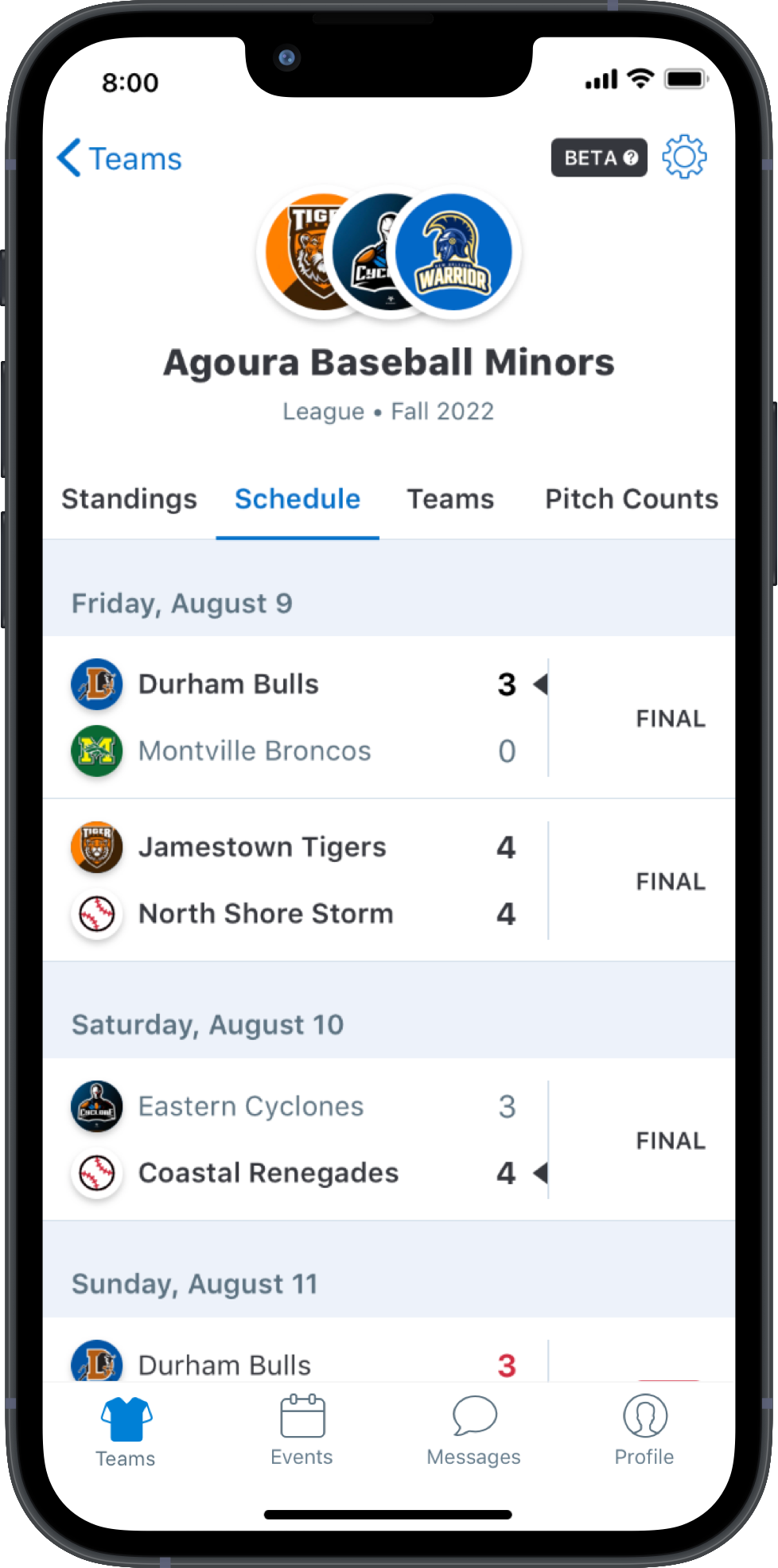
Another useful feature of GameChanger is the tournament widgets. You can customize these widgets to show important details such as schedules, standings, and player stats directly on your tournament website.
Using these widgets makes it easier for everyone involved to stay up-to-date with the latest information. This level of transparency helps create a community feeling and keeps everyone interested throughout the tournament.
GameChanger also handles the update of standings effortlessly. As the scores are entered, the standings are recalculated and displayed automatically, giving a clear view of each team’s position.
Text messaging allows for the swift dissemination of updates, reminders, and vital announcements to all participants. This keeps everyone in the loop and reduces the chances of miscommunication.
You can use email templates to your advantage. These templates can be tailored to meet the needs of your tournament, making it a breeze to send uniform and professional communications to teams and officials. For more tips on organizing and improving your tournament communications, check out our guide on boosting team performance.
With these communication tools, you can make sure everyone is on the same page and your tournament runs without a hitch from beginning to end.
How to Manage Your Team Effectively
For any tournament to be successful, it’s essential that teams are managed effectively. With GameChanger, you’re given the tools you need to handle team and roster organization with ease. Here are some tips to help you get the most out of these features.
How to Effectively Organize Teams and Rosters
The first step to organizing your teams and rosters is to create a comprehensive roster for each team. This should include the names of each player, their positions, and their contact information. Having all of this information in one place will make it easier for you to manage your teams and make sure that everyone is accounted for. For more detailed guidance, you might consider exploring resources on using a GameChanger League.
GameChanger lets you assign players to certain teams and divisions, making it a breeze to organize and manage rosters. This feature assists you in keeping track of player eligibility and guarantees that the teams are even and fair. For those interested in enhancing their coaching skills, check out these baseball coaching tips to improve your team’s performance.
Assigning Roles and Permissions for Admins
Assigning roles and permissions for admins is another critical aspect of team management. With GameChanger, you can allocate different roles to team officials like coaches, managers, and volunteers. Each role has specific permissions, so everyone gets the information they need.
Monitoring Player Health and Safety
Player health and safety should always be the main concern. GameChanger gives you the tools to keep an eye on player health and make sure that all safety procedures are adhered to.
Tracking player injuries and medical information in detail will help guarantee that players get the necessary treatment and that all safety precautions are implemented.
- Make sure to keep player medical records up to date.
- Check that all safety gear is present and working properly.
- Hold safety meetings for coaches and officials on a regular basis.
Doing these things will help to foster a safe and supportive atmosphere for everyone involved.
Other Options Besides GameChanger
GameChanger provides a complete package for managing tournaments, but it’s always wise to consider other choices. Numerous other tournament management systems are on the market, each with its own set of advantages and features.
Evaluating Top Tournament Management Platforms
When assessing various platforms, think about aspects like user-friendliness, features, and cost. Some well-known options other than GameChanger are TeamSnap, SportsEngine, and TourneyMachine.
All of these platforms have different features that could be better suited to what you’re looking for. TeamSnap, for example, is well-known for its easy-to-use interface, while SportsEngine provides powerful scheduling and registration tools.
Pros and Cons
Every tournament management platform has its own pros and cons. For example, GameChanger shines in live scoring and real-time updates, but some users might find its customization features lacking compared to other platforms.
Implementing Feedback for Enhancements
No matter what system you use, it’s crucial to collect feedback from users and participants. This feedback can assist you in identifying areas for enhancement and guarantee that your tournament management procedure continues to develop and enhance.
By being receptive to feedback and constantly looking for ways to improve your tournament management strategy, you can create a better experience for all participants.
Conclusion
GameChanger Team Manager is a game changer in the way tournament organizers manage their events. With its live scoring, digital registration, and efficient communication tools, it streamlines the entire process from beginning to end. This allows organizers to concentrate on improving the experience of the participants, rather than being overwhelmed by administrative tasks. For more tips on organizing youth baseball events, check out these indoor baseball drills for kids.
- Streamlined registration and payment processes save time and reduce errors.
- Real-time updates keep everyone informed and engaged.
- Customizable features allow organizers to tailor the platform to their specific needs.
- Effective communication tools ensure seamless coordination among teams and officials.
In conclusion, GameChanger Team Manager is a valuable asset for any tournament organizer looking to improve efficiency and participant satisfaction. By leveraging its comprehensive features, you can elevate your tournament management to new heights.
Using Technology to Improve Tournament Management
Technology is a key player in the modernization of tournament management. Tools like GameChanger use technology to automate processes, provide data in real-time, and facilitate communication. This not only simplifies the job of the organizer but also improves the overall experience for players and fans.
Embracing technology can give you an edge and ensure that your tournaments run smoothly and efficiently. Whether it’s live scoring, digital registration, or integrated communication tools, technology provides the tools you need to succeed.
What’s Coming Next in Sports Management Software
As technology keeps advancing, sports management software is becoming more and more complex. We can expect to see advanced analytics, augmented reality features, and improved mobile capabilities in the future. These new features will make managing tournaments even easier and provide more benefits to organizers.
Common Questions
When planning a tournament, you might have a lot of questions, especially if you’re using a new software platform. Here are some frequently asked questions about GameChanger Team Manager.
What are the steps to get started with GameChanger Team Manager?
First, go to the GameChanger website and sign up for an account. After you’ve registered, you can start setting up your tournament. You’ll need to input some information, like the name of the event, where it’s happening, and when it’s taking place. The website will help you customize your settings and invite teams to join in on the fun. For tips on improving your coaching, check out these coaching guides for kids.
Does GameChanger offer a free version?
Yes, GameChanger does provide a free version of its software. This version includes basic features. However, if you want access to more advanced features like live scoring and integrated payments, you’ll need to upgrade to the paid version. It’s up to you to decide which version is the best fit for your needs and budget.
What is the functionality of live scoring on GameChanger?
GameChanger’s live scoring feature offers the ability to update scores as the game progresses. As soon as scores are entered, they are immediately reflected on the platform for players, coaches, and fans to see. This feature enhances the overall experience by providing immediate access to the most current information. For those interested in improving their game strategies, check out these successful coach tips and techniques.
What other options are there besides GameChanger Team Manager?
There are a number of other options available besides GameChanger, such as TeamSnap, SportsEngine, and TourneyMachine. Each of these platforms has its own unique features and benefits, so it’s worth comparing them to see which one is the best fit for your tournament.
When comparing different options, take into account things like user-friendliness, the range of features, and cost.
Is it possible to manage multiple sports and divisions with GameChanger?
Indeed, GameChanger is capable of managing multiple sports and divisions within the same tournament. This versatility means you can manage intricate events without the need for multiple systems. By creating divisions and assigning teams to each, you can guarantee that your tournament operates without a hitch.
This feature is especially handy for bigger tournaments with a variety of participants. For more information on managing your organization, check out this discussion on using sportsconnect with GameChanger.
How do payments work in registration?
The GameChanger software allows teams to pay their registration fees online, which means you don’t have to worry about handling cash or checks. Payments are processed quickly and securely, and it’s all done online. This makes the registration process easier and reduces the chances of mistakes or delays.
What are tournament widgets?
Tournament widgets are adjustable tools that showcase important details such as schedules, standings, and player stats directly on your tournament website. When you embed these widgets, you guarantee that everyone involved can easily access the most recent updates, promoting a sense of community and keeping everyone engaged.
You can customize widgets to match your tournament’s branding and requirements, giving it a professional and unified appearance.
How does GameChanger manage player safety features?
Player safety is of utmost importance to GameChanger. The platform offers tools to track player health and guarantee that all safety protocols are adhered to. By maintaining comprehensive records of player injuries and medical information, you can make sure that players get the treatment they require and that all safety precautions are in place. For more tips on improving player performance while keeping safety in mind, check out these advanced pitching techniques.
Keeping player medical records up to date and providing safety briefings for coaches and officials are additional ways to ensure player safety and well-being.

Leave a Reply